How to set the value of a Field in Infopath
How to set the value of a Field in Infopath


- Article 1: How to code C-Sharp on infopath form 2010
- Article 2: How to set the value of a Field in Infopath
- Article 3: How to set value of a field from sharepoint list
- Article 4: Populating InfoPath Drop Down List Box with SharePoint List Lookup Data
- Article 5: Populating InfoPath Drop Down List Box with SharePoint Fields Choice
- Article 6: Deploy an InfoPath 2010 Form with Managed Code to a Browser Enabled Sharepoint Document Library
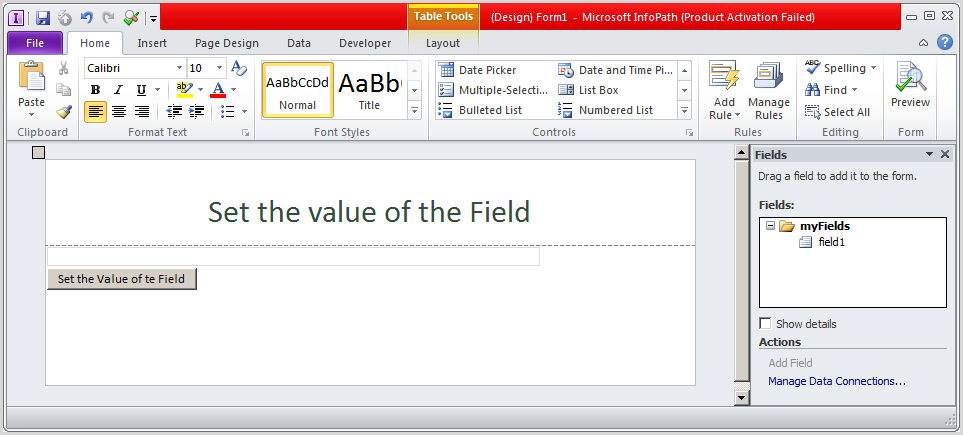
Open infopath | Design UI follows as
Right click to button | Edit Form Code…
Error appear
Ads not by this site
Ads not by this site
How to solve
Go to control panel | Uninstall program | right click to Microsoft office | change | choose Add or Remove Features
In Microsoft Infopath | .Net Programmability Support | at visual studio tools for applications: Run from my computer
Ads not by this site
Waiting configuration progress
Ads not by this site
Go back to infopath form | File | Form Options
Ads not by this site
At Programming
Form template code language: C#
At Security and Trust
Configure follows as:
Ads not by this site
Ads not by this site
After click Create Certificate … result as certificate is created with administrator
Right click to button | Edit Form Code… again, you will see Visual studio open automatically with Method ButtonID_Clicked
Paste this segment code into Method ButtonID_Clicked
Ads not by this site
Ads not by this site
Go back to infopath form | right click to field1 | Copy XPath
Go back to visual studio then paste “/my:YourTextBox”
public void CTRL2_5_Clicked(object sender, ClickedEventArgs e)
{
// Write your code here.
XPathNavigator xPathNavigator = this.MainDataSource.CreateNavigator()
.SelectSingleNode("/my:myFields/my:field1", this.NamespaceManager);
xPathNavigator.SetValue("mstechsharing.com");
}
Go back to Infopath form | Click F5 | click to button | value will be set to TextBox
Ads not by this site


Comments
Post a Comment